
2026.03.11
Can you trust stochastic agents in deterministic applications?
Today I want to share my experience automating a record-keeping workflow using AI. What makes this application interesting is that financial record-keeping ought to be exact and stateful, yet the LLM component in this workflow is stochastic and stateless.
Can you trust stochastic agents in deterministic applications?
In what follows I distinguish three broad ways of structuring these workflows: model-led workflows, model-assisted systems, and software-led systems. The key difference is where control lives: in the model, in a deterministic application that uses the model selectively, or almost entirely in software.
To be clear, I am not a developer but I did learn a few useful things with these experiments that others may find useful.
I sell covered calls every now and then because I find options interesting. However, analyzing options chains, keeping track of ex-dividend and earnings dates, staying in line with my financial goals, and the record keeping in Excel were starting to become a chore. That said, because my trading is so infrequent, I did not want to invest in a paid SaaS solution, so I kept putting up with these pain points until I thought of using AI to code a custom solution.
My first attempt at removing the pain was to create a project in the ChatGPT Windows app to suggest trades compatible with my strategy, and to create entries for the executed trades I can copy-paste into my Excel records.
Specifically, the project supports the following process:
 Solution 1: high-level workflow. (When I started programming on a
Commodore 16, age 11, we were taught to draw a flow chart of the program
before writing it in Basic. With AI’s spec driven development I am relearning the skill.)
Solution 1: high-level workflow. (When I started programming on a
Commodore 16, age 11, we were taught to draw a flow chart of the program
before writing it in Basic. With AI’s spec driven development I am relearning the skill.)
I added project instructions in project settings, and uploaded three additional
self-explanatory files: options-strategy.md, weekly-prompt.md, and
Options_tracker.xlsx. The Excel file is where I copy-paste the trade record to
(at the time ChatGPT could not manipulate Excel files directly).
To sell an option I would launch the ChatGPT app, navigate to the project,
copy-paste the options chain screenshot from my broker into the chat, and issue
the prompt: “suggest trades”. ChatGPT then runs for a few minutes before
returning structured trading suggestions as specified in weekly-prompt.md.
After I execute my chosen trade in my online broker, I paste the trade confirmation PDF into the chat and issue the prompt “generate records”. ChatGPT then generates a structured Markdown entry I can copy-paste into the record keeping Excel file.
This process was definitely an improvement on my fully manual flow. First, ChatGPT does a good job of reminding me of earnings and ex-dividend dates before placing any trade. Second, having the AI suggest conservative, balanced, and aggressive trades systematically helps anchor my thinking. It puts sand in the wheels of more impulsive trading. Finally, after much trial and error the formatting of the trade records became very consistent, simplifying record keeping.
Making the trade record generation consistent was the hardest part. First, because the information in the Excel file ought to be a one-to-one deterministic function of the information in the PDFs. Second, because AIs are prediction machines (Agrawal et al. 2022). As such, their output is stochastic, meaning you can get different outputs from the exact same inputs.
In most AI applications we are happy if the stochastic output falls within a narrow confidence interval. That is, the prompt completion does not have to be perfect, nor the same each time you issue the same prompt. It simply has to be “good enough”. Often, this stochastic behavior is a feature not a bug. But for record keeping the desired confidence interval is degenerate: It has all its probability mass on a single value, the correct one, and the same prompt should yield the exact same completion every time.
Unfortunately, despite excellent out-of-the-box PDF parsing capabilities, frontier LLMs may still embellish the extracted text with irrelevant stochastic cruft. You can get a sense of this just by reading through the excerpt from the project instructions below, which I wrote through a process of trial and error:
### Trade Record Extraction from PDFs

**Input:** trade confirmation PDF

**Output:** 2-column markdown table (field names | extracted values)

**Critical Formatting Rules:**

- **NO periods at end of any data values**
- **NO parenthetical explanations in data values**
- **Use exact enumerated values where specified** (e.g., STO not "STO (Sell to Open)")

**Fields:**

Trade_ID, Action_ID, Account, Call/Put, Underlying_Ticker, Option_Symbol,
Action_(STO/BTC/Expire/Assign), Expiration_Date, Strike, Contracts,
Premium_per_Contract, Delta, IV30, Fees_per_Contract, Net_Cash,
Trade_Date, Settle_Date, Broker_Confirmation, Linked_Lot_ID,
Assign_Quantity_Shares, Assign_Effective_Sale_Price_(Strike+Premium),
Assign_Total_Proceeds, Assign_Fees_(USD), Assign_Delivered_Lot_Basis_Per_Share,
Assign_Realized_Gain_Loss_Per_Share, Assign_Gain_(LT/ST), Notes

**Population Rules:**

- **Action_(STO/BTC/Expire/Assign):** Use exactly one of: `STO` or `BTC` or `Expire` or `Assign` (no parenthetical remarks)
- **Call/Put:** Use exactly: `Call` or `Put`
- **Assign_Gain_(LT/ST):** Use exactly: `LT` or `ST` or `N/A`
- **STO:** **ALWAYS** consult Lots_Master and populate Linked_Lot_ID automatically (highest-basis LT lot), Assign_* = N/A. Do not ask user permission.
- **Assign:** Populate all fields; calculate Effective_Sale_Price, Total_Proceeds, Gain_Loss, LT/ST
- **BTC/Expire:** Assign_* = N/A, Linked_Lot_ID = original STO Trade_IDGetting things exactly right is hard for stochastic machines. Fortunately, some aspects of “exactly right”, like formatting, are easily verifiable. If a certain field is defined as numeric, it is easy to verify if the generated entry is, indeed, numeric.
Even then, defining verifiably correct formatting is necessary but not sufficient. The model must also be relied upon to verify its work, and do so correctly. Being stochastic, models may fail on both counts. In my application, I had to add formatting criteria to the project instructions in ChatGPT to get the model to act on them consistently.
This worked in practice. Not because the model is actually verifying anything so much as predicting the next token with greater accuracy.
LLMs work very differently from deterministic software.
A deterministic software implementation might verify the data in question are numeric by doing all of the following:
By contrast, what ChatGPT did in my application was to take the output from the PDF vision extraction, append the project instructions saying, for example, that the Strike price field is numeric, and then make a prediction about the contents of the Strike price field. Given its training, the predictions I have seen were correct often enough to be useful, but this is pattern matching not verification.
Deterministic software verifies through explicit constraints, checks, and tests. ChatGPT ‘verified’ by conditioning on more detailed instructions and producing a more plausible output. The former is deductive, the latter inductive.
It gets worse. Other aspects of “exactly right” are not so easily verifiable predictable. For example, did the model extract the correct Strike Price for the option contract from the PDF?
Clearly the model cannot check itself, as that would be pulling itself up from its bootstraps. As before, you have to rely on the PDF text-extraction pipeline powering ChatGPT to feed the correct text to the LLM, and then hope the LLM’s prediction based on this text input is reliably correct. An inductive step.
These concerns notwithstanding, the proof of the pudding is in the eating. Humans, too, make mistakes. In this particular instance I am happy if the system makes fewer mistakes than I would on my own, which is not a high bar.
Still, the main takeaway from this quick iteration is that one can get something working that is useful relatively quickly. However, relying on prompts and context to constrain stochastic agents in deterministic applications is potentially problematic. Certainly not something to be relied upon in production systems or critical applications.
To limit the stochastic nature of the ChatGPT app solution, and to automate the manual copy pasting of transaction records into Excel, I re-architected the previous solution to rely more on deterministic code and SQLite. In particular, I wanted to automate tasks related to managing the state, including create, read, write, and delete (CRUD) operations on the SQLite database.
In what follows I start with a quick overview of the solution, followed by a discussion of a specific workflow, to illustrate how it mixes deterministic and stochastic components.
The basic, high-level workflow is illustrated below:

Solution 2: High level workflow
I use Opencode command line and terminal user
interfaces to run the system. The /analyze, /log-trade, and /review paths
govern the basic functionality of the system (each one governed by an opencode
command like analyze.md. More on this below).
To log a trade I open a PowerShell terminal at the root of the project repo,
type opencode, and hit enter. When you run the opencode command line interface
(CLI) without any arguments it starts the terminal user interface (TUI).
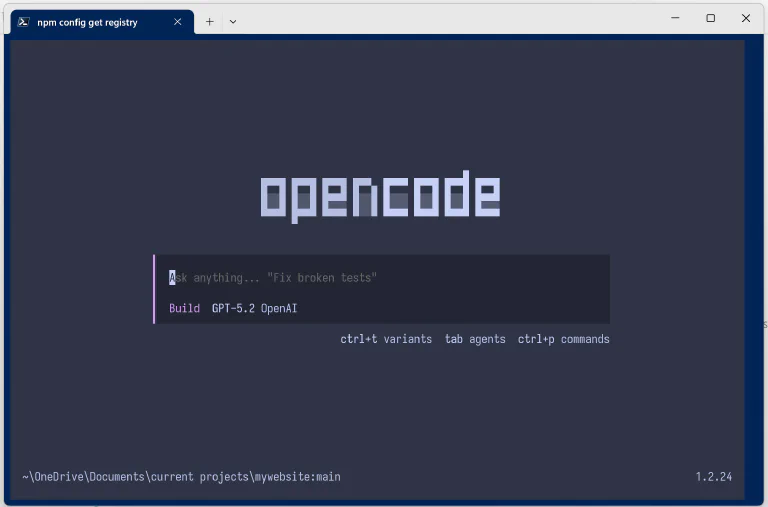
The opencode TUI
Next, I drop a trade confirmation in the ./data/inbox folder in the repo and
type the following prompt in the TUI’s chat interface: “log the trade”. Opencode
then orchestrates the /log-trade Happy Path below:

The /log-trade Process
As you can see from the /log-trade flow chart, a lot of the steps (in green)
are now deterministic: they are handled by Python code, and are subject to unit
tests. More interesting, perhaps, are the remaining non-deterministic steps in
the hybrid solution. These are denoted in the flow chart by “Spec logic”
(magenta), “LLM API-like call, vision” (orange), and “workflow orchestration”
(grey). These are all performed by opencode using ChatGPT 5.2. Let’s take them
in turn.
The deterministic steps in the process ensure the same trade confirmation is not logged twice; that the PDF is archived to ensure traceability; that the extracted text from the PDF contains all needed values and is internally consistent (e.g. net cash adds up); that shares are selected to minimize taxes in case of assignment; and that these shares are marked as reserved in the share lots table so they cannot cover other calls (double dipping), and so on.
I would not trust a purely predictive app like ChatGPT to do all this consistently.
These steps are not deterministic. They are executed by the agent on the basis of the three-file hierarchy:
opencode.json is the overall project configuration file for opencode and is
read at runtime. I use it primarily to ensure the agent follows the
instruction. The key snippet is:
{
  // Load authoritative policy into every session.
  "instructions": [
    "AGENTS.md", // human readable instructions for the AI agent.
    "README.md"  // high-level why, what and how of the project
  ]
}
AGENTS.md tells the agent how to behave when working in the repo. The key
snippet for the log-trade process is this:
## Workflow Invariants

### Auto-Ingest Before Options Work

**CRITICAL**: Before any options analysis, chain extraction, trade logging, or confirmation parsing:

1. Check if `data/inbox/` contains any non-`.gitkeep` files
2. If inbox is non-empty: **Immediately run** `python scripts/ingest.py`
3. Do NOT skip this step
4. **After successful ingestion** (status: "archived"):
   - Use the `archive_path` from ingest.py JSON output
   - **Automatically** read/process the archived PDF using vision extraction
   - Do NOT ask user to manually attach the archived PDF
   - Proceed directly to vision extraction → log_trade.py workflow
5. **If duplicate detected** (duplicate_of field present):
   - Use the `duplicate_of` path as the archived confirmation path
   - Proceed with vision extraction from that path

**Triggers for auto-ingest**:
- Any options analysis
- Chain extraction
- Trade logging
- Confirmation parsing
- "Log this trade" requests

### No Repo-Wide Evidence Search

- Do NOT analyze directly from `data/inbox/`
- Do NOT search repo for evidence (no `**/*.png` or `**/*.pdf` globs)
- Evidence is sourced only from inbox (before ingestion) and archive (after ingestion)
log-trade.md is an opencode command,
or detailed prompt, telling the agent what to do in this instance. Typically
triggered by the human operator by typing it in the chat but can also be
triggered by the agent, as in this application. Here a key snippet:
# Log Covered Call Trade

## Workflow

### Step 1: Auto-Ingest Inbox (if needed)

Check if `data/inbox/` contains confirmation files, then run ingestion:

```powershell
python scripts/ingest.py
```

Parse the JSON output to extract the `archive_path` field. If `archive_path`
is null and `duplicate_of` is present, use `duplicate_of` as the archived
confirmation path.

---

### Step 2: Extract Confirmation (Vision)

**Automatically attach** the archived confirmation PDF from the ingestion
output's `archive_path` field. Parse the JSON from Step 1 to get the exact
file path.

**Vision extraction prompt:**

```
Extract from this broker confirmation PDF all fields needed for the trades
table. Return as JSON with these exact field names:

{
  "trade_id": "TRD-20260124-001",
  "position_id": "POS-20260124-001",
  "account": "Individual",
  "ticker": "XYZ",
  "call_put": "Call",
  "option_symbol": "XYZ260221C00430000",
  "expiration_date": "2026-02-21",
  "strike": 430.00,
  "action": "STO",
  "contracts": 2.0,
  "premium_per_contract": 5.94,
  "fees_per_contract": 0.65,
  "net_cash": 1186.70,
  "delta": 0.28,
  "option_iv": 0.22,
  "trade_date": "2026-01-24",
  "settle_date": "2026-01-25",
  "status": "open"
}

If any field is not visible, set to null. Premium_per_contract should be per
share, not per contract (divide by 100 if needed). Fees_per_contract should
be per contract, not total (divide by contracts if needed). Do NOT extract
chain_path, chain_sha256, or confirmation_path - those are handled
separately.
```

---

### Step 3: Save Extracted JSON

Save the extracted JSON to a temporary file (e.g., `temp_trade.json`).

---

### Step 4: Log to Database

Run the log_trade script with the extracted JSON:

```powershell
python scripts/log_trade.py --json-file temp_trade.json
```

This will:

1. Validate Net_Cash formula (±$0.01 tolerance) and display result
2. Automatically select lots (LT-first, highest basis)
3. Insert into `trades` table
4. Output confirmation with trade_id and action_id

---

### Step 5: Clean Up
Powerful agents pose some difficulties for workflow orchestration. For example,
in my first few iterations, when I dropped a trade confirmation and asked the
agent to log a trade, it would just do it on the fly. It inferred what it needed
to do from the README.md file and just did it, ignoring all python scripts.
Think of it as short-circuiting the flow chart, collapsing the system into
Solution 1 above.
The only way to check if the agent is traversing the designated path is to look
into the agent session log to see what it did exactly. Beware, if you ask the
agent directly “did you run ingest.py?”, say, it will often lie to you. To
control this behavior you can add integration tests to the test suite. Roughly:
> opencode run 'log this trade') in a loop across all use
cases and test prompts.opencode.json, AGENTS.md and
log-trade.md until the agent traverses the path consistently.Getting agents to traverse the same path predictably is, at the time of this writing, an exercise in trial and error. I experimented with skills and subagents instead of commands, but they did not perform as reliably as the three-file hierarchy above. Ultimately, the guarantees are only probabilistic since you are orchestrating using a predictive AI.
These steps differ from workflow orchestration only in degree. Both are
controlled by the LLM under the file hierarchy harness. But whereas the former
mostly deal with process (what to do next) the latter are focused on how to
perform individual tasks, using what data schema and so on. In the /log-trade
process this is mostly controlled by the command file log-trade.md described
above.
The final stochastic step is almost like an API call. This happens when the model passes the PDF to its native PDF pipeline.
I did not build a deterministic app. Having reached this point I decided that it
was just too much overhead for my simple use case, so I went back to solution 1.
Still, it is useful to think what such an app might look like. Specifically, in
terms of the log-trade process (see the flow chart above).
I would imagine almost all steps begin deterministically implemented in code, with the exception of governed API calls to the PDF pipeline. At that point the LLM has mostly been automated away, reduced to a managed API call. It no longer predicts the next step in the workflow nor the output being requested of it (with the exception of the API call). It is performing a discrete step in the process, the task it is good at.
Managing state with ChatGPT or Claude Code is risky for systems that require exact state transitions and auditability. Yes, you can create useful applications for personal, non-critical uses, but they are not to be relied upon for any serious application.
As you scale out the application you need to automate away as much of the LLM as possible, except its core tasks (e.g. vision, PDF parsing, text summarization, translation). Fortunately, you can use the LLM to write the code to automate all its non-core tasks. In the end what you end up with is a traditional software product with limited, well-governed, stochastic AI components.
Looking back, building the hybrid solution was a very weird experience. In traditional app development there is a clean separation of concerns between the build process and the runtime process. You build the app, then test it by running it.
In the hybrid solution everything lives in the repo, and there is no distinction
between developing the service and running it. In both cases I would launch
opencode in the repo’s root folder and start chatting. I could ask it to update
AGENTS.md, a development task, or to log a trade, a runtime task. It does not
matter. The agent, one hopes, figures out what it has to do.
This is fine for prototyping, but it feels like an unstable way to run a real service. The closer a workflow gets to production, the more the stochastic parts need to be isolated, constrained, and audited. Software as a service is not dead. CRUD apps will not go away because state has not gone away. What changes is how they are built and maintained.
Agrawal, Ajay, Joshua Gans, and Avi Goldfarb. 2022. Power and Prediction: The Disruptive Economics of Artificial Intelligence. Harvard Business Press.↩
Enjoyed this post? Subscribe via RSS to get new articles delivered to your feed reader.